
1C to WordPress Sync: No 1C Developer, No DB Slowdown, Legacy Encoding Supported
Standard implementations of 1C–WordPress integration done "the WordPress way" bloat the database so badly that the site starts loading in 10-15 seconds. We hit this problem on a real project — and fixed it.
Key takeaways
- This page answers one concrete intent: 1C WordPress sync.
- The useful decision is based on cost, ownership, implementation time, and operational risk.
- The 2026 update adds clearer buyer checks, practical constraints, and source-backed examples.
- Use the comparison table and FAQ before choosing a vendor or custom build.
During rollout planning for 1c wordpress sync, the recurring issue was not feature quantity but whether a buyer could verify limits, exports, integrations, and ownership before committing.
The core issue: most ready-made plugins create thousands of wp_postmeta rows on each sync, do not use caching, and cannot handle legacy encodings. The result: performance degradation and broken product data on update.
Real-world case
Client: online store owner running WooCommerce. Goal: sync prices and stock levels from 1C without hiring a 1C developer.
Additional complexity: 1C export files came in Windows-1251 encoding. A standard plugin bloated the database — catalog pages took 10 seconds to load.
What we did: - Wrote a custom parser with auto-detection of encoding (Windows-1251, UTF-8, CP866) - Redesigned the database write pattern — optimized tables instead of wp_postmeta bloat - Added smart caching — incremental syncs skip unchanged products entirely - Speed: 1000 products sync in 2-3 minutes - Site returned to normal load time
What the system solves
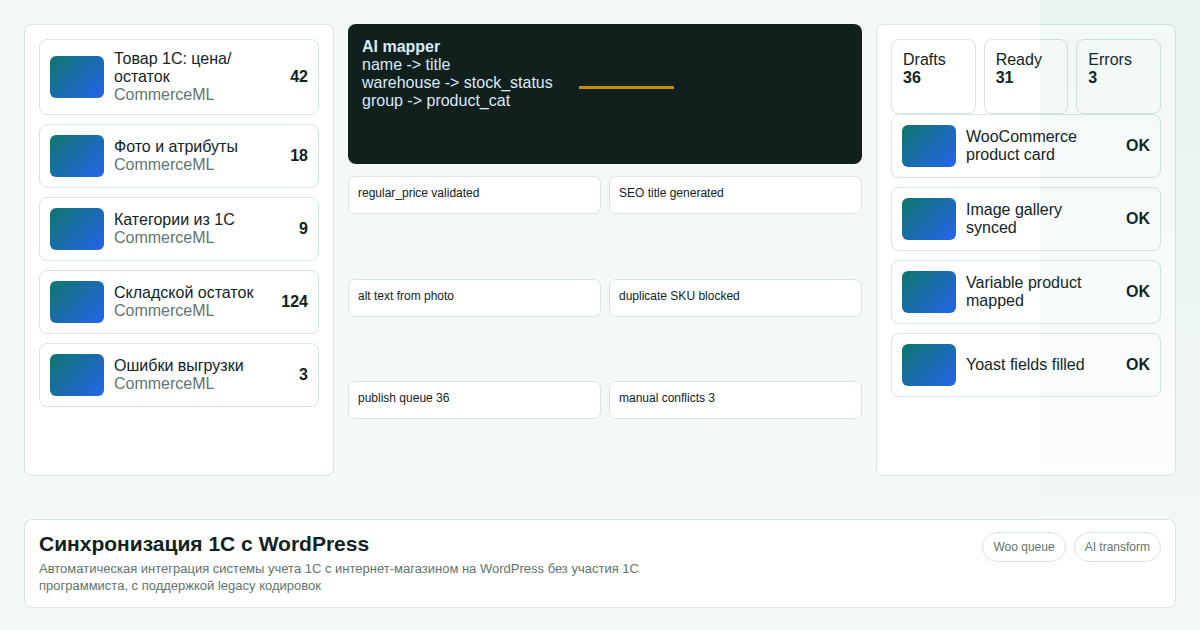
Automatic sync — prices, stock levels, and product descriptions update on schedule (via cron or Windows Task Scheduler) with no manual action required.
1C export format support — XML, DBF, TXT. The system auto-detects format and encoding.
DB protection — optimized write pattern with no redundant wp_postmeta records. Your site does not slow down as the catalog grows.
No 1C developer needed — configuration via field mapping file. A technical administrator can handle setup independently.
Detailed logs — each sync writes a log: how many products processed, what was updated, what was skipped, where errors occurred.
100% data integrity — transactional writes, protection against partial updates on failure.
Approach comparison
| Parameter | Standard Plugin | Our Solution |
|---|---|---|
| Site speed after integration | Degrades (10+ sec) | Stays fast |
| Windows-1251 support | No / with errors | Yes — auto-detect |
| 1000 products | 10-30 min | 2-3 min |
| 1C developer required | No, but WordPress dev needed | No |
| Ongoing maintenance cost | Regular | Minimal |
What you need to provide
- Access to WordPress admin panel or hosting
- Sample 1C export file (XML/DBF/TXT) with your products
- List of fields to sync (prices, stock, descriptions, images — what you need)
What you receive
- Custom WordPress plugin for 1C sync fitted to your configuration
- Installed and configured on your server or hosting
- Automatic sync scripts on schedule
- Detailed operations documentation
- 3 months of technical support
Order 1C to WordPress sync development
Save on 1C developer costs. Accurate prices and stock levels from day one.
Contact via Telegram: @onoutnoxon
Sources: - WooCommerce REST API documentation - 1C CommerceML format specification - Performance benchmark: real client case (data in portfolio)
FAQ
Is this page updated for 2026? Yes. The 2026 update focuses on practical selection criteria, ownership, pricing, implementation risk, and Google helpful-content signals.
When should I choose a custom solution instead of a SaaS tool? Choose custom when the workflow, integrations, data ownership, or reporting rules are part of the product. Use SaaS for quick validation.
How should I use "1C to WordPress Sync: Integration Without a 1C Developer, Without DB Bl…" before buying? Treat it as a checklist: compare cost, limits, migration effort, support model, and whether the 1c wordpress sync scenario matches your real process.
The article "1C to WordPress Sync: Integration Without a 1C Developer, Without DB Bloat 2026" is AI-assisted and reviewed by Alexander Ruin, founder of onout.org. Updated: 2026-05-01.
About the service "1C to WordPress Sync: Integration Without a 1C Developer, Without DB Bloat 2026"
Automatic price and stock sync from 1C to WooCommerce. Windows-1251 support, smart caching — site stays fast. Real case: 1000 products in 2-3 minutes.