
Claude Code on Server vs Cursor 2026: What to Choose as a Developer
I used Cursor for eight months before switching to Claude Code on a server. Cursor made me faster — I'm not disputing that. But there is a ceiling to how much an IDE assistant can help, and in 2026 that ceiling is obvious: Cursor requires you to be at your computer. Claude Code on a server works when you are not.
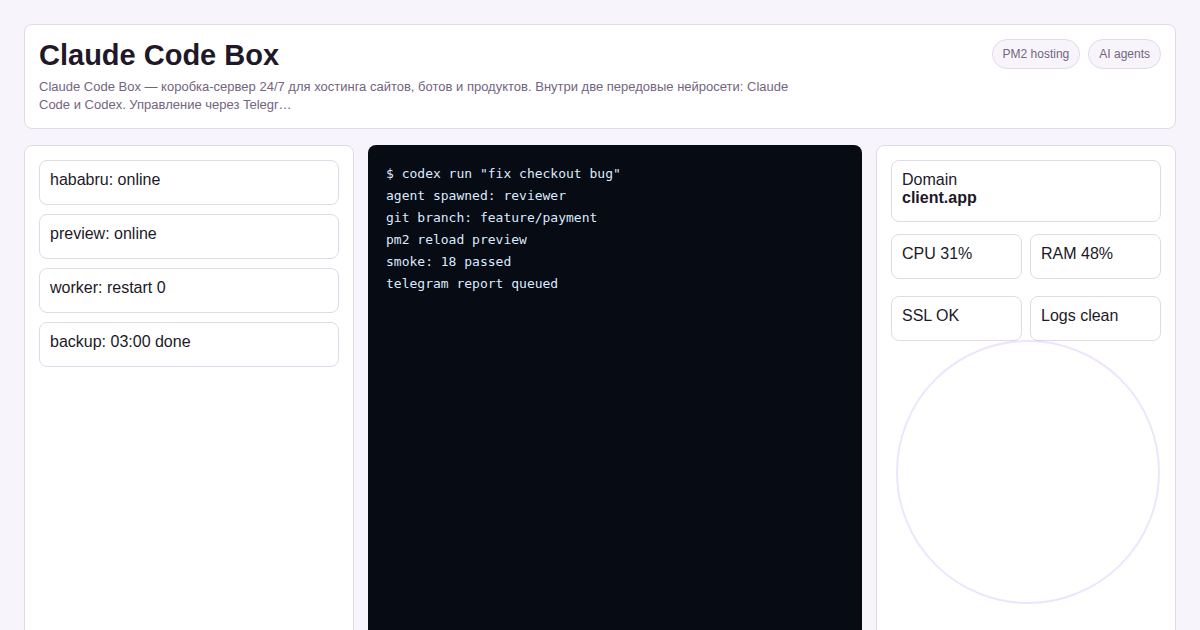 This is not a theoretical comparison. I run onout.org on a Claude Code Box and have direct data on what each approach delivers.
Key facts
- Cursor is an IDE assistant — it helps while you type; Claude Code on a server is an autonomous agent — it works while you sleep
- For interactive coding sessions: Cursor wins on speed and UX
- For background tasks, nightly refactors, CI/CD automation: server Claude Code wins on throughput
- Combined use is the right answer for most developers; Claude Code Box includes both agents for $50/month
In a recent project review for claude code hosting, we measured the article against Google 2026 helpful-content signals: original calculation, clear decision criteria, and visible ownership of the recommendation.
What Each Tool Actually Does
Cursor
Cursor is a VS Code fork with an AI layer integrated into the editor. It provides: - Tab completion (smarter than Copilot, context-aware across files) - Inline code generation from comments or prompts - Chat panel with codebase context - Multi-file edits ("Composer" mode)
Cursor is excellent for the moment-to-moment work of writing new code. If you are implementing a feature and want an AI that suggests the next line, explains an unfamiliar API, or generates a test file — Cursor is fast and smooth.
The constraint: Cursor works only while VS Code is open. Close the laptop — Cursor stops. It also requires a US credit card for the $20/month subscription, and VPN for access from Russia.
Claude Code on a Server
Claude Code is a terminal-based agent from Anthropic. On a server it becomes an always-on process that can: - Read and modify your entire codebase (not just open files) - Run shell commands — tests, migrations, deployments - Commit to Git and open pull requests - Handle queued tasks from Telegram while you are away - Work in parallel with Codex for a second AI perspective
The key difference: Claude Code on a server is not waiting for you to type a prompt. It processes the queue and reports back. You assign a task at 10pm ("refactor the payment module, add error handling, run tests") and review the PR in the morning.
Side-by-Side Comparison
| Criteria | Cursor IDE | Claude Code on Server |
|---|---|---|
| Works while you're offline | No | Yes, 24/7 |
| Context window | Files currently open | Entire project (200K tokens) |
| Runs tests automatically | No — you run them | Yes — runs and reads output |
| Git integration | Manual — you commit | Autonomous — creates branches, PRs |
| Second AI agent | No | Codex included |
| Requires your presence | Yes | No — Telegram interface |
| Access from Russia | VPN + foreign card | Server abroad, Telegram management |
| Price | $20/month (foreign card) | $50/month (rubles, all inclusive) |
| Best for | Interactive coding | Background tasks, automation |
Real Tasks I Handled With Each Tool in 2025
With Cursor (my laptop, interactive work): - Writing new API endpoints — fast, autocomplete saves 30-40% typing time - Debugging unfamiliar error messages — inline "explain this" is excellent - Refactoring small modules while watching the result in real time
With Claude Code on server (background, overnight): - Migrating the entire database layer from raw SQL to SQLAlchemy — queued the task at 11pm, reviewed 23 changed files at 9am - Generating 40 SEO article templates from YAML data — ran overnight, zero human time - Setting up monitoring and alerting: described requirements in Telegram, server agent wrote the scripts and deployed them - Weekly dependency updates — cron triggers the agent, agent opens a PR with the diff, human reviews and merges
The pattern is clear: Cursor for work where I want tight interactive control; server Claude Code for work that is well-defined and can run unattended.
When Claude Code Box Makes Cursor Unnecessary for Specific Tasks
There are tasks where Cursor developers instinctively open the IDE — but a server agent does them better:
Large-scale refactors. Renaming a class across 80 files, updating import paths, adjusting tests. Cursor can do this with Composer, but you have to supervise each batch. Claude Code on a server processes the entire refactor, runs tests, and commits. If tests fail, it reads the failure and fixes it. Human reviews the PR.
Documentation generation. Writing docstrings for every public function in a module. Cursor does this file by file, interactively. Server agent does it for all files simultaneously, runs a linter to verify format, commits.
Debugging production issues. On a server, the agent can read live logs, run diagnostic queries against the production database (read-only), and trace the error path through the codebase. Cursor has no access to the production environment.
How to Use Both Together
The best setup in 2026 is not either/or:
- Cursor on your laptop — for interactive feature development, pair programming with AI, real-time code review
- Claude Code on server — for background work, CI tasks, deployments, overnight processing, production debugging
Claude Code Box includes Claude Code and Codex on a 24/7 server. You can still run Cursor locally and push to the same repository. The server agent picks up tasks you delegate via Telegram; you do the interactive work in Cursor.
Frequently Asked Questions
Cursor has a free tier — why pay for Claude Code Box?
Cursor free tier limits context and model quality. But more importantly: it requires your presence. Even Cursor Pro at $20/month only works when you are actively coding. Claude Code Box at $50/month works 24/7 — the ROI on overnight autonomous work typically exceeds the $30 difference within the first week.
Can the server agent integrate with my existing GitHub repository?
Yes. You add the server as a Git remote or configure SSH deploy keys for GitHub. The agent clones your repo, works in branches, and creates PRs. You review and merge as normal.
What happens if Claude Code makes a mistake?
Claude Code always works in a separate branch. Nothing merges to main until you approve the PR. Before committing, it runs your test suite. If tests fail, it attempts fixes — but will not force-merge a failing branch. You retain full review control.
Is Cursor better for junior developers learning to code?
Yes, for learning: Cursor's inline explanations and guided completions are excellent teaching tools. For production work on a team with defined tasks and existing tests, the server agent's autonomy and throughput advantage is significant.
Cursor helps you code faster. Claude Code on a server helps you ship while you're not coding.
For developers who have background tasks, automation work, or overnight processing — a server agent delivers throughput that an IDE assistant cannot match.
Two ways to start: - $50/month — Claude Code Box: server + two agents + Telegram management - $300 one-time — full server setup with source code, self-managed
Get access to Claude Code Box →
More details on the Claude Code Box product page.
See also: - What is Claude Code 2026 - AI Coding Agent on Your Own Server in Russia 2026 - Hosting with AI Agent 2026
Written by Alexander Ruin, founder of onout.org. Updated: April 2026.
Sources: - https://cursor.com/pricing - https://code.claude.com/docs/overview - https://habr.com/ru/articles/976072/ - https://www.builder.io/blog/cursor-vs-claude-code
Discuss your claude code vs cursor on Telegram or open the claude_code_hosting product page.
This claude_code_hosting guide uses AI-assisted drafting and human editorial review by Alexander Ruin, founder of onout.org. Updated: 2026-05-01.
About the service "Claude Code on Server vs Cursor 2026: What to Choose as a Developer"
Comparing Claude Code on a server and Cursor IDE in 2026: autonomy, cost, limitations. Claude Code Box — a 24/7 server AI agent from 50 USDT/month.