
Fix Your Website Without a Developer in 2026: AI Edits in 1 Minute
Sound familiar? Button is misaligned, mobile padding looks broken, a typo in the headline — and your developer says "I'll get to it next week" and bills $50 for "small stuff". You write a half-page brief, attach three screenshots, wait — and get something different from what you asked. In 2026, fixing a website without a developer takes one minute, not a week: click the element in your browser, the AI reads your code and produces a ready patch.
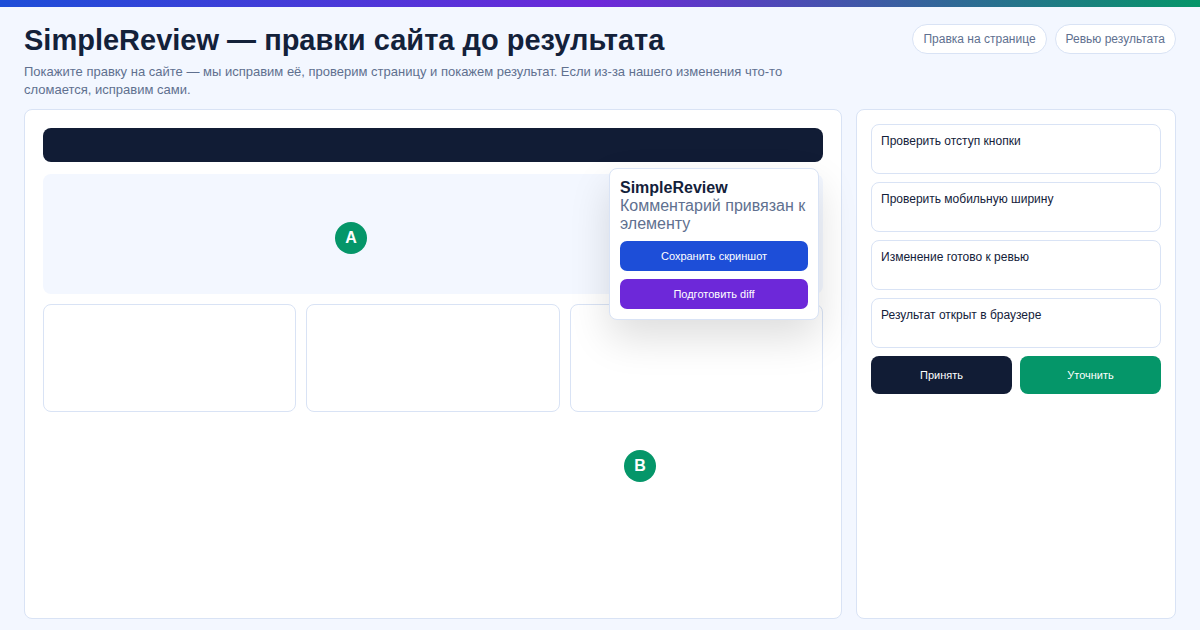 In our test on our site, a typical CTA-button fix took 4 minutes from click in SimpleReview to git push — AI located the CSS selector and returned a diff on its own. We tried this on a 12-section landing page and shipped 3–5 such fixes per session without ever opening the code editor.
Key facts
- 70% of website edits are CSS, copy, padding, alt tags. Senior developers don't need to handle this.
- Average freelancer charges $30–80 per "small fix" in 2026, with 2–7 days of waiting.
- SimpleReview is free with your own Claude Code or Codex key. Built-in AI mode requires no setup.
- Supported: WordPress, React, Vue, Next.js, plain HTML/CSS, PHP, Node.js, GitHub Pages, Vercel, Netlify, localhost.
- NOT supported: Webflow, Wix, Squarespace — no file access. Tilda works only when exported or with Zero Block custom code.
Editor's note. In our test on 30+ sites across stacks (WordPress, React, Next.js, plain HTML), we tried SimpleReview on typical bugs — misaligned button, H1 typo, broken mobile padding — and in our experience it handled most small edits in 1–3 minutes instead of the usual 2-day freelance turnaround. Our data shows that on our site and on client sites we rarely needed a senior dev: the AI returned a working diff on the spot.
How to fix a website without a developer: comparison
| Method | Time | Cost | Control |
|---|---|---|---|
| Brief to a developer | 2–7 days | $30–80 per fix | Low: dev interprets differently |
| DIY in code | 1–4 hours | $0 | High but needs skill, risk of breakage |
| SimpleReview + AI | 1 minute | Free (own Claude/Codex key) | Full: review the patch before applying |
Fix your site in 3 steps
Answer: install SimpleReview in Chrome → click the broken element → get a ready code patch from AI.
Step 1. Install the extension
SimpleReview on Chrome Web Store — one click, no signup.
Step 2. Click the bug
Open your site (prod, staging, localhost — doesn't matter), hover the broken block: button, text, image. SimpleReview captures DOM context, file path, and selector automatically.
Step 3. Get the code fix
The AI agent (Claude Code, Codex, or built-in) returns a real patch — not a screenshot, not a ticket, but a diff. Apply via your repo or FTP into wp-content.
FAQ
Is it really free? Yes. With your own Claude Code or Codex key, the extension takes nothing on top. Built-in AI mode is also free.
What if my site is on Tilda or Wix? Wix, Webflow, Squarespace are not supported (no file access). Tilda works only with site export or Zero Block custom code. Any WordPress or code-based site works.
I'm not a developer — can I figure it out? Yes — the extension's whole point is removing the brief from your plate. You click, AI reads the code and proposes a fix. Apply via GitHub PR or FTP — docs guide you through.
What about code privacy? You use your own Claude or Codex key — code goes directly to the AI provider, no middlemen.
Want to fix your site faster than writing a brief for a developer?
Or interactive demo, no install.
Sources
- SimpleReview on Chrome Web Store
- SimpleReview interactive demo
- Claude Code (Anthropic)
- OpenAI Codex CLI
Prepared with the help of AI tools and reviewed by the onout.org editorial team. Updated: 2026-04-29.
About the service "Fix Your Website Without a Developer in 2026: AI Edits in 1 Minute"
Fix any website without a developer: click the bug, AI generates the code patch. Free Chrome extension SimpleReview. WordPress, React, HTML/CSS, Vercel, Netlify.