
Global LMS Platforms Comparison 2026: How to Choose Without Chasing Feature Lists
The global LMS market is crowded because "learning platform" means several different products. A creator selling a self-paced course, a company training employees, and a certification provider do not need the same system. Comparing platforms only by monthly price or the number of features usually leads to the wrong decision.
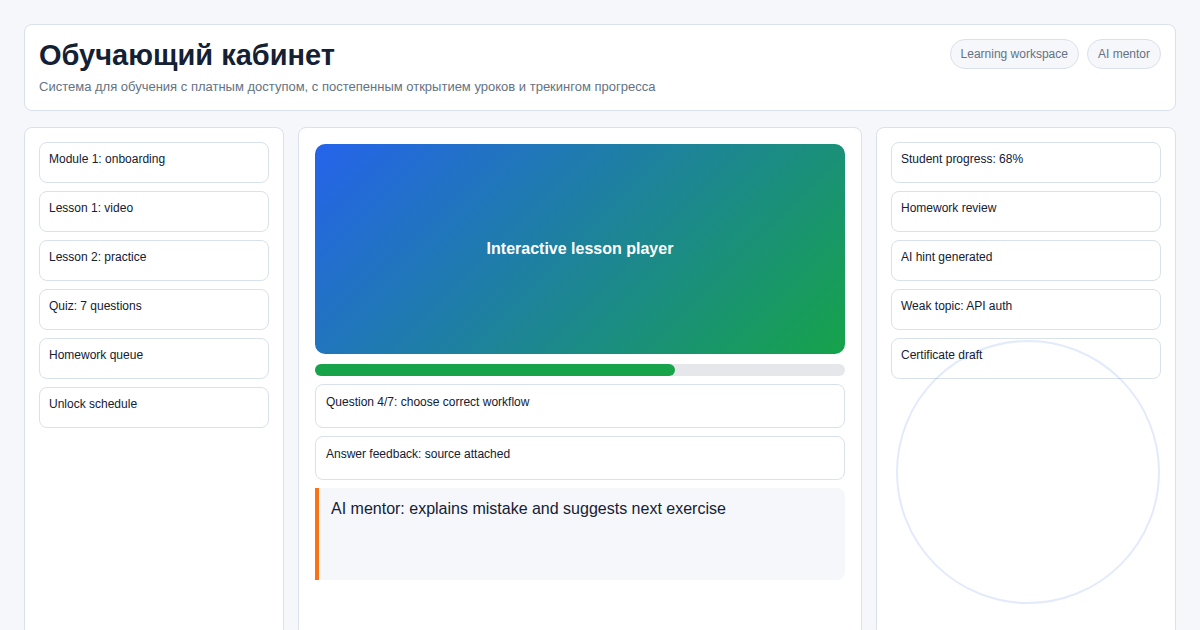 This comparison focuses on fit: what each type of LMS is good at, where limits usually appear, and when a standalone custom LMS is the more practical option.
Key takeaways
- Teachable, Thinkific, Podia, Kajabi, and LearnWorlds are best for selling courses and digital products.
- TalentLMS, iSpring Learn, Docebo, and similar tools fit structured corporate training better than creator commerce.
- Moodle is flexible and open source, but it still requires setup, hosting, maintenance, and UX work.
- A custom LMS makes sense when learning logic, data ownership, integrations, or regional constraints are part of the product.
- Always verify current pricing and plan limits on vendor websites before signing. Plans change often.
Platform Categories
| Category | Common examples | Best fit | Common constraint |
|---|---|---|---|
| Creator course platforms | Teachable, Thinkific, Podia | Solo creators, small course businesses, paid digital products | Checkout, branding, automation, and advanced reporting limits |
| All-in-one marketing platforms | Kajabi, LearnWorlds | Course sales with landing pages, email, funnels, and memberships | Higher tier dependency and opinionated workflows |
| Corporate LMS | TalentLMS, iSpring Learn, Docebo | Employee onboarding, compliance, internal training | Seat-based pricing, procurement complexity, limited product-style customization |
| Open-source LMS | Moodle | Institutions and teams with technical capacity | Requires configuration, design, hosting, upgrades, and support |
| Custom standalone LMS | Built for one organization or product | Unique learning flows, data ownership, integrations, regional constraints | Requires development ownership and maintenance |
How to Compare LMS Platforms
Use the same questions for every vendor:
- What happens when the student count grows by 10x?
- Can you export users, progress, payments, certificates, and content without manual work?
- Can you remove platform branding without moving to an enterprise plan?
- Are checkout, tax, invoices, and refunds suitable for your buyers' countries?
- Can you define your own lesson unlock rules, assignments, reviews, and certification logic?
- Can your team operate the platform without developer help?
- What is the exit plan if pricing, policies, or product direction change?
These questions expose lock-in better than a generic feature checklist.
SaaS Course Platforms
SaaS course platforms are usually the right start when speed matters more than process control. They provide hosted lessons, checkout, landing pages, email integrations, and student accounts without an engineering project.
They become limiting when the education product grows beyond standard course delivery. Common pressure points include:
- custom onboarding flows;
- cohort-based access rules;
- multi-step assignments and manual review;
- corporate reporting;
- custom certificates;
- data exports for finance, CRM, or HR systems;
- regional payment and compliance needs;
- brand experience that must feel like a proprietary product.
The practical advice is simple: use SaaS to validate demand, but do not force a mature learning operation into a tool that was built for a different model.
Corporate LMS Platforms
Corporate LMS tools solve a different problem. They are stronger at employee assignment, compliance records, manager dashboards, and structured training programs. They are weaker when the learning experience must feel like a commercial product with custom checkout, public marketing pages, or unusual lesson logic.
Choose a corporate LMS when you need procurement, roles, departments, compliance reports, and repeatable internal training. Consider custom development when the training platform is part of a customer-facing product or a paid education business.
Moodle and Open Source
Moodle is powerful because it is flexible and widely used. It is not automatically "free" in an operational sense. A serious Moodle deployment still needs hosting, configuration, theme work, plugin decisions, updates, backups, security monitoring, and user support.
Moodle is a good fit when your organization has technical ownership and accepts the platform's learning model. A custom LMS is better when the core experience needs to be simpler, more branded, or tightly integrated with an existing business system.
When a Custom LMS Wins
A standalone LMS is worth considering when the platform needs to encode your business rules:
- lessons open only after specific tasks, payments, dates, or manager approvals;
- students are grouped by company, cohort, mentor, or subscription plan;
- certificates require custom rules and audit trails;
- analytics must connect with CRM, BI, finance, or HR systems;
- buyers need a branded portal instead of a generic course area;
- regional hosting, payment, language, or legal constraints affect the architecture.
Custom does not mean building everything from scratch. The sensible approach is to use proven components for authentication, payments, storage, email, video delivery, monitoring, and backups while keeping the learning model under your control.
On our site and in implementation planning, the recurring signal is simple: teams rarely need more LMS features; they need fewer manual exceptions. If a vendor demo cannot reproduce the real access rules, reporting needs, and payment states, the fit problem usually returns after launch.
12-Month Decision Framework
| If this is true | Usually choose |
|---|---|
| You are testing course demand for the first time | SaaS course platform |
| You need internal compliance training with standard reports | Corporate LMS |
| You have technical staff and want an open-source base | Moodle or another open-source LMS |
| Your learning workflow is part of the product experience | Custom LMS |
| Your main risk is vendor lock-in, data access, or regional constraints | Custom LMS or self-hosted open source |
Avoid deciding only from today's monthly subscription. Model the next year: student growth, admin time, support load, export needs, payment edge cases, and how painful migration would be.
Practical Recommendation
For most teams, the best sequence is:
- Validate the course or training program with the simplest tool that works.
- Document the workflows that create manual work or product friction.
- Move to a custom LMS only when those workflows are stable enough to build around.
This avoids both extremes: overbuilding before demand exists and staying too long on a platform that no longer fits the business.
Frequently asked questions
Which LMS platform is best in 2026?
There is no single best LMS. Creator platforms fit course sales, corporate LMS products fit internal training, Moodle fits teams with technical ownership, and custom LMS development fits product-specific workflows.
Should I compare LMS platforms by price?
Price matters, but it should not be the first filter. Compare the next 12 months of student growth, admin time, data exports, payment needs, support load, and migration risk.
When should I move from SaaS to a custom LMS?
Move when the course business has proven demand and the hosted platform creates repeated workarounds around access control, reporting, integrations, branding, or regional requirements.
Sources
- Google Search Central: Creating helpful, reliable, people-first content
- Google Search Central: SEO Starter Guide
- Vendor websites and documentation should be checked directly for current plan limits before purchase.
Discuss Your LMS Choice
If you are choosing between Teachable, Kajabi, Thinkific, Moodle, a corporate LMS, or a custom build, send the current workflow and constraints on Telegram: @onoutnoxon. I will help identify whether the issue is platform choice, process design, or custom development scope.
Related reading:
- Custom Learning Platform Development
- Regional LMS Constraints for Global Buyers
- Learning Platform Product Overview
Prepared with AI assistance and reviewed by Alexander Ruin for onout.org. Pricing and limits should be verified on official vendor pages before purchase. Updated: 2026-04-29.
About the service "Global LMS Platforms Comparison 2026: SaaS Course Builders vs Custom LMS"
Compare global LMS platforms such as Teachable, Kajabi, Thinkific, Podia, LearnWorlds, TalentLMS, Moodle, and custom LMS development by use case, limits, and ownership.