
Expert Learning Cabinet 2026: Sell Courses Without GetCourse, Tilda, or Their Fees
I've spoken with dozens of online course creators. The turning point is almost always the same: they hit $3,000–5,000 in monthly revenue, do the math on platform fees, and realize they're paying $180–400 per month to a SaaS company for the privilege of selling their own knowledge.
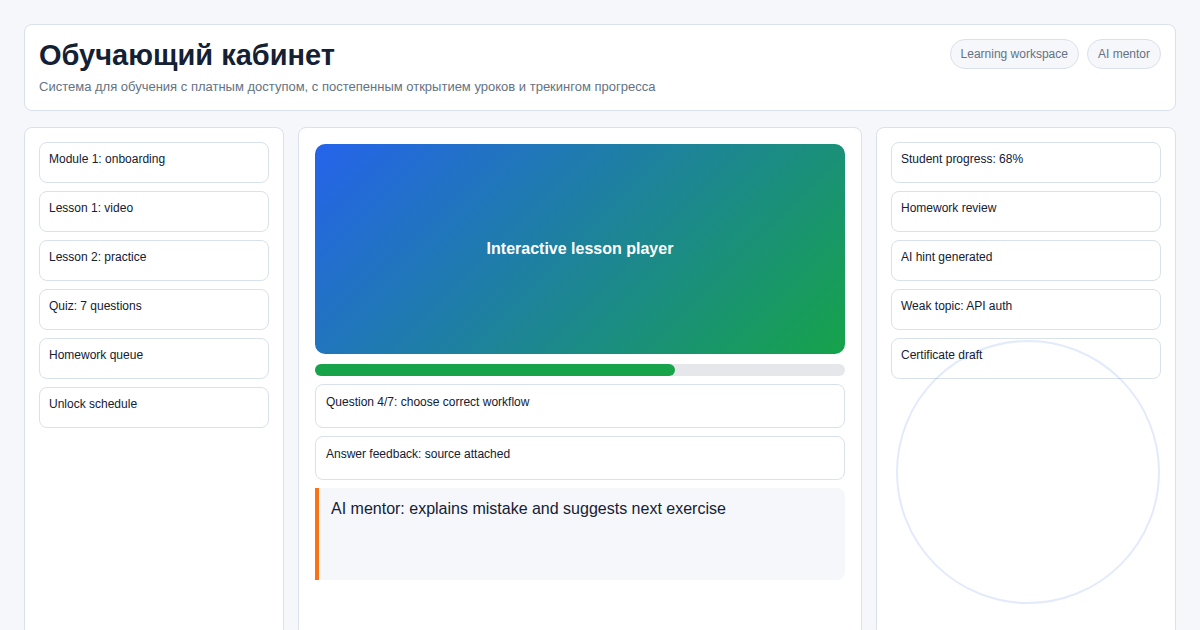 That $180–400 buys a VPS and a custom LMS with room to spare. The difference is one-time setup cost vs. a recurring tax on every dollar you earn.
Here's what a standalone expert learning cabinet gives you — and where the break-even point is.
Key facts
- At $3,000/mo revenue, commission savings alone are $150–240/month vs. SaaS platforms
- Custom solution from $350 one-time — pays back in 1–2 months at this revenue level
- Scales to 100,000 students with no platform fee increase
- 50+ ready modules: drip lessons, quizzes, certificates, invite system, analytics dashboard
- AI agent included: make changes to your cabinet by chatting with it, no developer needed
In our experience, solo experts leave hosted platforms when operations become repetitive: exporting students, changing access rules, opening a lesson for one cohort, or updating a price without waiting on support. A focused learning cabinet should make those weekly tasks boring, not add another dashboard to manage.
What Experts Actually Lose on SaaS Platforms
Most course creators don't calculate total platform cost until it's already painful. Here's the full breakdown:
| Cost Item | SaaS Platform (Teachable, Thinkific) | Own Learning Cabinet |
|---|---|---|
| Sales commission | 5–8% of revenue | 0% |
| Monthly subscription (1,000 students) | $120–250/mo | $60/mo (VPS hosting) |
| Custom domain + white label | Extra cost or higher tier | Fully included |
| Drip content control | Template logic only | Flexible: by date, test score, or manual unlock |
| Student data ownership | Platform retains data; export limited | Full database access, export anytime |
| Webinars | Bundled (you pay whether you use it or not) | Bring your own (Zoom embed, free) |
The commission line is the most significant. A creator doing $5,000/mo on a platform charging 5% loses $250/month — $3,000/year — on top of the subscription. That's a custom LMS paid for in under four months.
What "Drip Content" Really Looks Like in Practice
Generic SaaS platforms offer "lesson unlocking." The actual flexibility matters.
In our learning cabinet, drip logic can be configured as: - Linear completion: lesson 2 unlocks only after lesson 1 is marked complete - Time-based: lesson unlocks N days after enrollment (useful for email-course hybrids) - Test-gated: next module unlocks only after passing a quiz with score ≥ X% - Manual unlock: instructor unlocks a lesson for a specific student (for cohort-based courses) - Mixed: combination of any of the above per-module
This is the structure that serves actual pedagogical methodologies — not just "one lesson at a time."
How AI Changes Cabinet Management in 2026
The biggest friction for solo experts on custom platforms is maintenance: adding a new lesson, changing a price, restructuring a module. Traditionally that means logging into a CMS admin panel and navigating menus.
In 2026, our cabinets include an AI agent on the server. You can: - "Add a new lesson after lesson 3 in the 'Marketing' module, here's the video link" - "Change the price for the Basic plan to $89 starting next Monday" - "Show me how many students dropped off after lesson 5 this month"
The AI agent handles these requests directly. No developer, no ticket queue. This is a genuine operational difference for solo experts running their business without a technical team.
Platform Architecture (Without the Technical Detail)
What students experience: - Clean, mobile-responsive interface (no platform branding, your domain, your logo) - Progress tracking with visual indicators - Certificate download on completion - Email notifications at configurable milestones
What you manage from the admin panel: - Upload lessons (video, PDF, text, quiz) and arrange them by drag-and-drop - Set pricing (one-time, subscription, cohort access) - View student progress, completion rates, quiz scores - Generate and download certificates - Export the full student database anytime
What runs in the background: - Payments processed directly by Stripe/PayPal/local gateways (money goes straight to your account) - Automatic email sequences on enrollment, completion, certificate issuance - Invite system: generate a link for a specific course; the student registers and gets access automatically
3 Steps to Launch Your Learning Cabinet
Step 1. Course structure audit We review your existing content (even if it's just an outline) and configure the cabinet: modules, lesson order, drip rules, pricing model.
Step 2. Payment and branding setup Connect your Stripe/PayPal account directly. Configure the domain, logo, color scheme. The only fee on each transaction is the acquirer's 2–3% — nothing goes to a platform.
Step 3. Student migration and launch Import your existing student list; they receive new login credentials by email. New students register directly on your platform. You cancel the SaaS subscription when you're ready.
When a Custom Cabinet Makes Sense (and When It Doesn't)
Worth building your own when: - Monthly revenue is over $2,000 (commission savings exceed hosting cost) - You need lesson unlock logic beyond what templates offer - You want to own your student data and CRM without platform limitations - You're building a recurring subscription course business (platform fees compound)
Stick with SaaS when: - You're pre-revenue and validating demand - You need a course marketplace for discovery (Udemy, Teachable's marketplace) — custom platforms don't provide traffic
For corporate use cases, see: LMS for Corporate Training 2026.
FAQ
Do I need a developer to manage the cabinet day-to-day? No. The admin panel handles all content operations. The AI agent handles requests that would otherwise require code changes. A developer is only needed for custom feature development.
Can I migrate students from another platform? Yes. We import contact lists and send new credentials automatically. Completion history can be carried over if your current platform allows data export.
How many students can the system handle? Up to 100,000 registered users on a standard server (2 vCPU, 4 GB RAM). Higher load requires horizontal scaling, which we configure if needed.
Is the certificate system customizable? Yes — your logo, signature, course name, completion date, and a unique verification code. Certificates are generated as PDFs and sent automatically on course completion.
What payment gateways are supported? Stripe, PayPal, Robokassa, YuKassa, and any gateway with a REST API. Integration typically takes 1–2 hours per gateway.
Ready to stop paying platform commissions? Message on Telegram: @onoutnoxon — I'll show you what your learning cabinet would look like.
Compare GetCourse vs custom platform costs →
Sources
- https://teachable.com/pricing
- https://www.thinkific.com/pricing/
- https://www.holoniq.com/
Prepared with AI assistance and reviewed by Alexander Ruin for onout.org. Updated: 2026-05-01.
About the service "Learning Cabinet for Experts 2026: Sell Courses Without GetCourse, Tilda, or Their Fees"
Build your own learning cabinet: drip content, direct payments, certificates, student analytics. No platform commissions. Scales to 100,000 students. From $60/mo.