
Promotional Publication: AI-Powered Voice Input Corporate Solutions
Order development of a similar solution

Case: Turnkey AI-Powered Voice-to-Text with Noise Cleaning
Speech recognition and synthesis technologies for business
I am a developer. In this case study, I demonstrate how we develop a "speech-to-text" application with intelligent cleanup: how we achieve accuracy and low latency, and how we design processing and operations.
Practical case: internal dictation for the sales department
- Initial data: Windows work laptops, mixed Russian-English speech, domain-specific terminology, requirement for local processing.
- Implementation: hotkey, audio streaming, "silence" pre-detection (VAD), text post-processing (removal of filler words), insertion of the result into the active window.
- Operation: logging, latency metrics and error rate of recognition, zero-downtime updates, restricting access to source audio.
Quick immersion into context
- Conversations with responsible persons: purpose of use (speed of letter/task preparation), key metrics (accuracy, delay), terminology.
- Domain description: typical phrases/abbreviations, required languages, scenarios for inserting the result.
- Integrations and limitations: audio storage, offline/online requirements, security constraints.
Architectural decisions and trade-offs
- Stream processing or batch processing: the balance between latency and quality.
- Voice Activity Detection (VAD), speaker diarization, punctuation restoration — as required by the task.
- Local computing versus the cloud: data privacy, cost, and performance.
Hidden pitfalls and anti-patterns
- "Stitching" phrases during stream processing, cutting at pauses — adjusting VAD sensitivity.
- Domain-specific terms and mixed speech — dictionary/model adaptation and post-processing are required.
- Network failures — limiting retries and degrading to offline mode.
Quality, metrics, and operations
- SLI/SLO: p95 latency, error budget, uptime; SLO alerts
- Test Strategy: unit/contract/E2E, load testing, canary releases
- Observability: structured logs, tracing, metrics
- CI/CD, migrations, rollbacks, health checks, and readiness probes
Security and Data
- PII/secrets: encryption at rest/in transit, key rotation
- Roles and access, log masking, action auditing
- Storage policies, TTL, regional requirements
How much time do you spend typing? And on editing it afterward? I offer you a solution that will let you forget about the keyboard and communicate with your computer by voice—quickly, accurately, and in several languages at once. Let's discuss the development of a custom Voice-to-Text application that will become your indispensable work assistant.
Market Analysis: Why Do Standard Solutions Fall Short?
The built-in Windows voice input is more of a toy than a practical tool. Does not understand Russian: The accuracy of Russian speech recognition leaves much to be desired. Stumbles over terminology: Technical terms, slang, English words—all of these stump standard Voice-to-Text. Garbage output: The recognized text is riddled with filler words that have to be removed manually.
The technological capabilities of my solution
Our application is not just dictation; it's an intelligent system that understands you.
Key features:
- 🎯 Instant activation: Press the hotkey in any application and start dictating.
- 🗣️ Multilingual Intelligence: Speak in a mix of Russian and English — the app will understand and transcribe everything correctly.
- 📱 AI Editor: The neural network cleans up all the "uhs," "ums," and filler words from your speech in real time, leaving only the essence.
- 📚 Seamless insertion: The finished text automatically appears in the active window.
- 🎵 Smart pause: The application itself understands when you have finished speaking and stops the recording.
Business Potential: Who is this solution for?
- Programmers: Dictate code, comments, and communicate with Copilot using your voice.
- Managers: Dictate letters, reports, and assign tasks several times faster.
- Writers and journalists: Focus on your thoughts, not on typing.
- Everyone who values their time: Accelerate any text-related task.
Technical implementation
- Platform: Windows.
- Speech recognition: Whisper API or similar.
- AI-cleaning: OpenAI/Claude.
- Interface: A minimalist application running in the background.
Evidence of effectiveness
- Speed: Voice input is 3-5 times faster than typing on a keyboard.
- Accuracy: Recognition accuracy for mixed Russian-English speech — over 95%.
- Quality: AI-powered cleanup enhances text quality and saves time on editing.
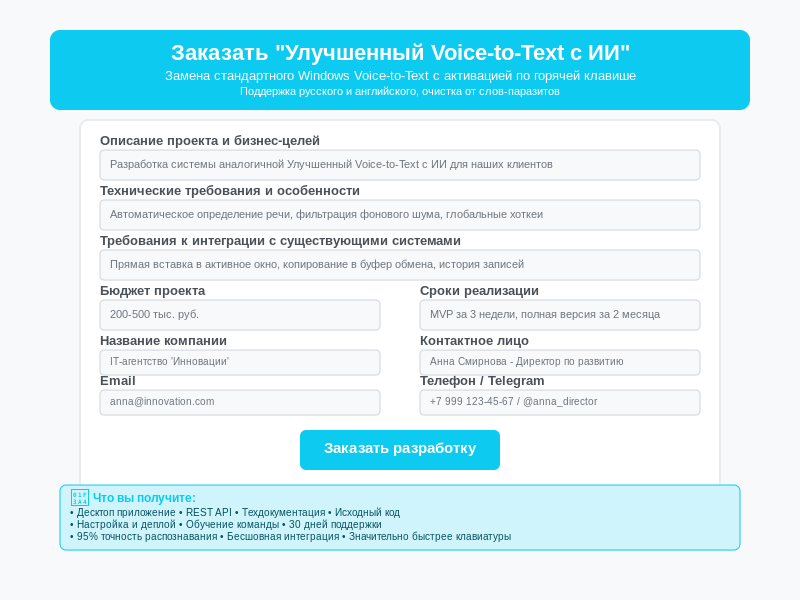
I am ready to develop a custom Voice-to-Text application for you that will change your perception of working with text.
- ✅ You will receive an application tailored to your tasks.
- ✅ We will ensure its integration with any of your programs.
- ✅ You will gain full control over your data.
- ✅ We will provide full technical support.
Telegram: @sashanoxon
Email: [email protected]
Want the same result? Submit a request — let's discuss your task.
🚀 Ready to order development?
We will create a similar solution, taking into account your requirements and processes.
💡 What you will get: a turnkey ready solution, source code, documentation, 30 days of support