
React Development from Figma Design 2026: Pixel-Perfect Without Overpaying
React is the dominant choice for Figma-to-code projects — and for a good reason that most people don't realize: React's component model maps almost perfectly to how Figma files are structured. Every Figma frame is a component. Every Auto Layout is a flex container. Every color style is a design token.
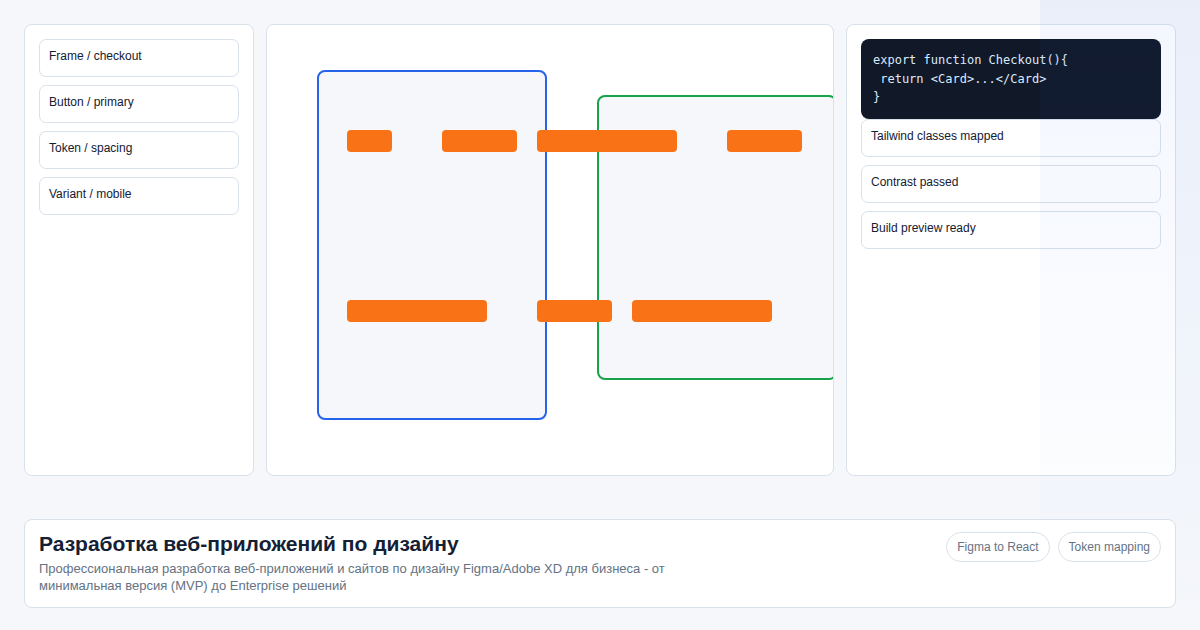 This structural alignment is what makes AI-powered React development possible at quality levels that weren't achievable 2 years ago.
I've been converting Figma designs to React since 2022. Here's what the process looks like in 2026, where AI actually helps, and where human judgment is still irreplaceable.
Key facts
- React project (20 screens) done manually: $1,800–5,000 in 3–6 weeks
- With AI acceleration: from $330 in 5–10 days at the same quality bar
- Figma Auto Layout → React flex components: AI converts this directly with ~95% accuracy
- TypeScript, linters, CI/CD — production-ready code that another team can pick up immediately
- The 5% where AI fails: complex state interactions, accessibility edge cases, animation timing
In our experience auditing the page "React Development from Figma Design 2026: Pixel-Perfect Without Overpaying", the useful angle is not another generic platform list, but the operating decision: costs, data export, access rules, and support workload for figma to code.
How AI Converts Figma to React (and Where It Stops)
Here's what happens when I process a Figma file:
What the AI handles well: - Static layout: Figma Auto Layout → CSS flex/grid with correct gap, padding, alignment values - Typography: Figma text styles → CSS custom properties + Tailwind/CSS Modules classes - Color tokens: Figma color styles → CSS variables or Tailwind theme config - Component hierarchy: Figma component tree → React component file structure - Responsive breakpoints: Figma mobile/tablet/desktop frames → media query breakpoints - TypeScript types: Props inferred from Figma component variants → TypeScript interface definitions
What the expert handles: - State logic: hover states, form validation, conditional rendering, loading/error/empty states - Data binding: deciding which props are hardcoded vs dynamic, API integration points - Performance: memoization decisions, lazy loading, bundle splitting - Accessibility: ARIA labels, keyboard navigation, focus management — Figma tells you nothing about these - Animation timing: CSS transition values Figma doesn't encode
Comparison: Manual React vs AI-Assisted React
| Criteria | Manual React Development | React + AI Acceleration |
|---|---|---|
| 20 components | 5–10 days | 1–2 days |
| Responsive (3 breakpoints) | 3–5 days | 4–8 hours |
| TypeScript interfaces | 2–3 days | automatic (AI-generated, expert-reviewed) |
| Pixel-perfect review pass | 3–5 days | 1 day |
| Total timeline | 3–6 weeks | 5–10 days |
| Cost | $1,800–5,000 | from $330 |
The savings are largest on projects with 15–25 screens and well-structured Figma files. On a 5-screen landing page, the overhead of AI setup eats into the gains; on a 40-screen web app, the savings compound.
What "Pixel-Perfect" Actually Means in Practice
"Pixel-perfect" is used loosely. Here's our definition:
- Color accuracy: hex values match Figma exactly, including opacity
- Typography: font-family, size, weight, line-height, letter-spacing — all transferred
- Spacing: margins and paddings match to the pixel (Figma's design grid values)
- Component states: default, hover, focus, active, disabled — all implemented for interactive elements
- Breakpoint behavior: layout changes at 320px, 768px, 1280px match the Figma frames for those sizes
Our verification process: AI generates the component, I open it in a browser alongside the Figma frame, and compare visually at each breakpoint. Discrepancies over 2px are fixed. Discrepancies in color or typography of any size are fixed.
This is different from "looked at it and it seems right" — which is what many freelancers deliver.
Real Quality Expectations: Limitations You Should Know
What AI-assisted React development is not: - A substitute for design decisions. If the Figma file has inconsistent spacing, we implement what's there. We flag inconsistencies but don't redesign. - Infinitely flexible on complex interactions. Drag-and-drop, real-time collaboration, canvas editors, or heavy animation sequences need dedicated scoping. - Instantaneous. 5–10 days is fast, but not overnight. The expert review phase is non-negotiable.
What you get that a freelancer often doesn't deliver: - All component states implemented (not just the happy path) - Test at real devices, not just Chrome DevTools device emulation - Code that passes ESLint without suppression comments - No inline styles (everything in CSS Modules/Tailwind) - No magic numbers — every spacing value traces back to a Figma token
Stack Options
| Concern | Default | Alternative |
|---|---|---|
| Framework | React 18+ | Vue 3, Next.js, Svelte |
| Language | TypeScript | TypeScript (always) |
| Styling | CSS Modules | Tailwind CSS, Styled Components, SCSS |
| State management | React Context + hooks | Zustand, Redux Toolkit (for complex apps) |
| Routing | React Router 6 | Next.js App Router |
| Data fetching | Axios + React Query | SWR, native fetch |
| Testing | Vitest + React Testing Library | Jest |
We default to CSS Modules + TypeScript because it's the most maintainable long-term — no vendor lock-in, works with any React developer on your team.
3 Steps: From Figma to a Production React App
Step 1. Share the mockup link A public Figma link. We determine the stack (React + TypeScript, CSS choice, routing) and provide a timeline within 2–4 hours. We also flag any Figma gaps at this stage.
Step 2. AI creates components, expert builds architecture AI generates JSX/TSX for each frame. A senior React developer structures the file system (feature-based or atomic, depending on project size), state management, routing, and API layer. The result is a scalable application with consistent patterns throughout. Learn how this works in detail: Figma to Code automation explained.
Step 3. Receive a production-ready repository React 18+, TypeScript, configured linting (ESLint + Prettier), CI/CD, documentation. The code can be handed to any React developer — they'll understand the structure in under an hour.
FAQ
What CSS approach should I choose? CSS Modules for most projects — it's the most maintainable and has the best TypeScript support. Tailwind if your team already uses it. Styled Components only on request (it adds runtime overhead most projects don't need).
Do you work with Vue or Next.js? Yes. Vue 3 with Composition API, Next.js with App Router, Svelte. React is the most common request and where AI assistance is most mature, but the process works for all modern frameworks. Need a full product with backend? Explore MVP in 2 weeks.
How is pixel-perfect ensured? AI transfers all Figma values exactly. I verify visually at 320px, 768px, and 1280px. Any color, spacing, or typography discrepancy is fixed before delivery. Interactive states (hover, focus, active) are all verified manually.
Can your team also add a backend? Yes. FastAPI (Python) or Node.js backend is scoped as an additional deliverable. For a full-stack timeline and pricing, see Figma to code pricing.
Will the code work with an existing design system? Yes, but we need the design system files and documentation to align tokens correctly. Mention this in the initial brief.
Have a Figma mockup ready? Send the link to Telegram: @onoutnoxon — I'll assess the project and give you a timeline in 2–4 hours.
Learn more about Figma to Code →
Sources: State of JS 2025, npm download statistics 2026, React DevTools usage data, onout.org project data (React builds Jan 2025–Mar 2026).
Sources
- https://onout.org/react-razrabotka-po-dizajnu
- https://developers.google.com/search/docs/fundamentals/creating-helpful-content
- https://developers.google.com/search/docs/essentials/spam-policies
About the service "React Development from Figma Design 2026: Pixel-Perfect Without Overpaying"
React Development from Figma Design 2026: Pixel-Perfect Without Overpaying. React is the dominant choice for Figma-to-code projects — and for a good reason that most people...