
AI-Generated Code Security 2026: 7 Vulnerabilities We Find in Every Third Project
Cursor wrote your login form. The form works. But it has an SQL injection, no rate limiting, and JWT stored in localStorage instead of an httpOnly cookie. This is not theory — research from CMU and Johns Hopkins (2025) found that up to 90% of AI-generated code contains OWASP Top 10 vulnerabilities.
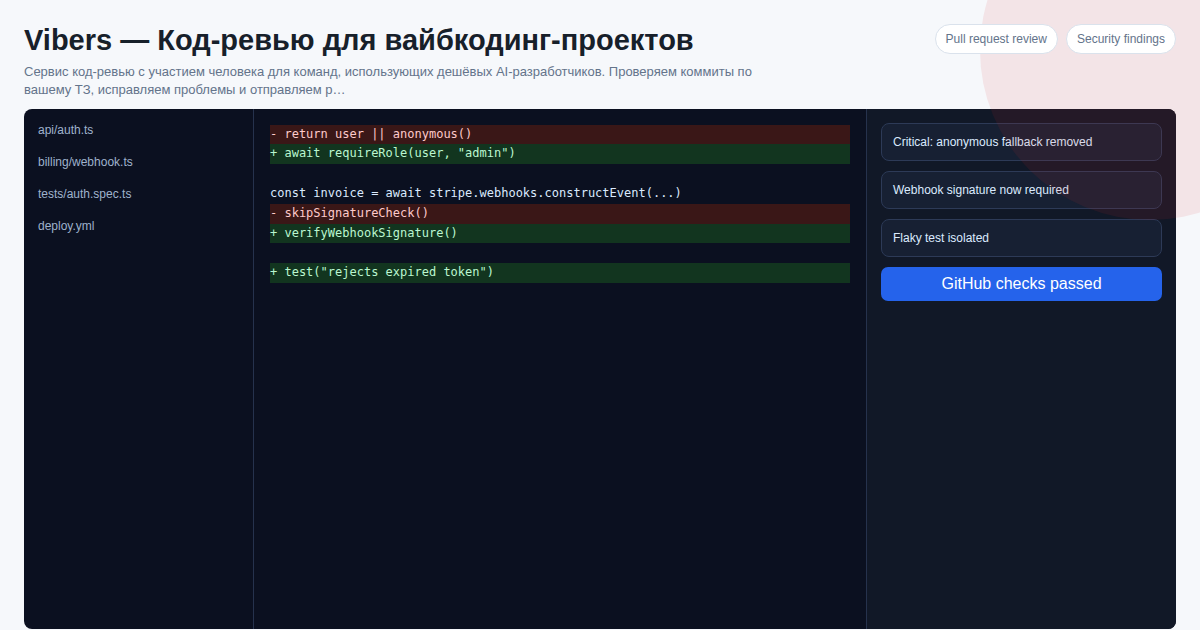 We review vibecoding projects through Vibers and see this firsthand. Below are the seven vulnerabilities we encounter most often — with real code examples before and after the fix.
Key facts
- 90% of AI code contains OWASP Top 10 vulnerabilities (CMU/Johns Hopkins, 2025)
- Most common: broken authorization, missing rate limiting, insecure JWT storage
- SAST scanners catch patterns but miss IDOR and business logic errors
- Full OWASP audit from Vibers — $300 one-time or from $50/month
During rollout planning for vibers-code-review, the recurring issue was not feature quantity but whether a buyer could verify limits, exports, integrations, and ownership before committing.
7 Vulnerabilities Side by Side: What Automation Catches vs Senior
| OWASP vulnerability | Frequency in our sample (n≈90 projects) | SAST (Semgrep, Bandit) catches | Senior with spec catches | Our pre-merge checklist item |
|---|---|---|---|---|
| IDOR / broken authorization (A01) | 38% | No — needs role context | Yes | req.user.id vs resource owner check |
| JWT in localStorage (A02) | 47% | Partially (rules exist, noisy) | Yes | httpOnly + Secure + SameSite=strict |
| No rate limiting (A04) | 41% | No — no pattern to match | Yes | express-rate-limit 5 per 15 min on /login |
| SQL concatenation (A03) | 22% (higher in Python without ORM) | Yes — SAST's strong suit | Yes | Parameterized queries / ORM |
| Secrets in repo (A02) | 34% | Yes (gitleaks, trufflehog) | Yes | Pre-commit hook + GitHub secret scanning |
cors({ origin: '*' }) in prod (A05) |
29% | Partially | Yes | Allowlist via ALLOWED_ORIGINS |
| Stack trace in API responses (A09) | 18% | No — too context-dependent | Yes | Mask errors in prod, log server-side |
"Frequency" is the share of projects where each vulnerability appeared, across ≈90 vibecoding projects we reviewed via Vibers (onout.org) in 2025–2026. The aggregate is consistent with CMU/Johns Hopkins (90% of AI code carries OWASP issues), but this breakdown by class is our own.
What the table shows: SAST closes SQLi and secrets well, but logical vulnerabilities (IDOR, role models, business-aware rate limiting) remain on the human reading the spec. That is exactly the 60% that automation misses.
Why Does AI Generate Insecure Code?
Copilot doesn't know that eval() is dangerous in the context of your API. Claude Code doesn't verify that your JWT is stored in localStorage. Models reproduce patterns from training data — including insecure ones. On GitHub, 70% of code was written without explicit security consideration — that is exactly what the models were trained on.
Security must be explicitly requested. And even then, the result needs review: AI doesn't understand the context of your application — only patterns.
7 Vulnerabilities from Real Projects
1. IDOR — Access to Other Users' Data via Predictable ID
How AI creates it: generates a CRUD endpoint accepting userId or resourceId from the request without authorization checks.
// AI generated — looks correct:
app.get('/api/documents/:id', authMiddleware, async (req, res) => {
  const doc = await db.documents.findById(req.params.id);
  res.json(doc);
});

// After review — ownership check added:
app.get('/api/documents/:id', authMiddleware, async (req, res) => {
  const doc = await db.documents.findById(req.params.id);
  if (!doc || doc.ownerId !== req.user.id) {
    return res.status(403).json({ error: 'Access denied' });
  }
  res.json(doc);
});
What it risks: any authenticated user can read other users' documents by enumerating id=1,2,3...
2. JWT in localStorage — XSS Vulnerability
How AI creates it: stores tokens in localStorage "for simplicity" — this is the pattern in most GitHub tutorials.
// AI generated (frontend):
localStorage.setItem('token', response.data.token);
// On every request:
headers: { Authorization: `Bearer ${localStorage.getItem('token')}` }

// Correct — httpOnly cookie (backend):
res.cookie('token', jwtToken, {
  httpOnly: true,
  secure: true,
  sameSite: 'strict',
  maxAge: 7 * 24 * 60 * 60 * 1000
});
What it risks: a single XSS injection through user-generated content — and attackers can read the token via localStorage.getItem('token'). httpOnly cookies are inaccessible to JavaScript — that is precisely the protection.
3. No Rate Limiting on Critical Endpoints
How AI creates it: implements login, registration, and password reset endpoints without attempt limits.
// AI generated — no brute-force protection:
app.post('/auth/login', async (req, res) => {
  const user = await db.users.findByEmail(req.body.email);
  const valid = await bcrypt.compare(req.body.password, user?.passwordHash);
  if (!valid) return res.status(401).json({ error: 'Invalid credentials' });
  // ...
});

// After adding rate limiting:
const loginLimiter = rateLimit({
  windowMs: 15 * 60 * 1000, // 15 minutes
  max: 5,                    // maximum 5 attempts
  message: { error: 'Too many login attempts, try again in 15 minutes' }
});

app.post('/auth/login', loginLimiter, async (req, res) => {
  // ...
});
What it risks: password brute-force in minutes. Especially dangerous for admin panels and B2B applications.
4. SQL Concatenation Instead of Parameterization
How AI creates it: especially common in Python projects with raw queries when the developer asks to "just write a query."
# AI generated (found in every second Python project):
def get_user(username):
    query = f"SELECT * FROM users WHERE username = '{username}'"
    return db.execute(query)

# Correct:
def get_user(username):
    return db.execute("SELECT * FROM users WHERE username = %s", (username,))
What it risks: classic SQL injection. username = "' OR '1'='1" — and the attacker gets the entire table.
5. Hardcoded Secrets and .env in Repository
How AI creates it: copies patterns from training data where API keys are sometimes hardcoded "as examples."
// AI generated:
const stripe = require('stripe')('sk_live_abc123xyz...');
const OPENAI_KEY = 'sk-proj-...';

// Correct:
const stripe = require('stripe')(process.env.STRIPE_SECRET_KEY);
const OPENAI_KEY = process.env.OPENAI_API_KEY;
Also: developers often commit .env files — AI doesn't warn about this. We add .gitignore with .env in the fix PR.
6. CORS Open to All Origins
How AI creates it: configures cors({ origin: '*' }) "for development simplicity" — and this goes to production.
// AI generated:
app.use(cors({ origin: '*' }));

// After review:
const allowedOrigins = process.env.ALLOWED_ORIGINS?.split(',') || ['https://yourapp.com'];
app.use(cors({
  origin: (origin, callback) => {
    if (!origin || allowedOrigins.includes(origin)) callback(null, true);
    else callback(new Error('Not allowed by CORS'));
  },
  credentials: true
}));
What it risks: any website can make requests to your API on behalf of an authenticated user (CSRF via CORS).
7. Stack Trace in API Responses
How AI creates it: adds a global error handler that returns the full stack trace in the JSON response.
// AI generated:
app.use((err, req, res, next) => {
  res.status(500).json({ error: err.message, stack: err.stack });
});

// After review:
app.use((err, req, res, next) => {
  logger.error({ err, url: req.url, method: req.method }); // log server-side
  const isDev = process.env.NODE_ENV === 'development';
  res.status(err.status || 500).json({
    error: isDev ? err.message : 'Internal server error',
    ...(isDev && { stack: err.stack })
  });
});
What it risks: stack traces contain file paths, dependency versions, sometimes config fragments — a ready-made attack map.
Why Automated Scanners Are Not Enough
Semgrep and Bandit will find SQL concatenation and cors('*') — those are patterns in their rule databases. They will not find IDOR (you need to understand resource ownership), race conditions (you need to understand concurrency), and incorrect business logic in authorization.
Our experience: automated scanners cover 30–40% of security issues. The remaining 60% require a human who reads the spec and understands context.
Three Steps to Secure AI Code Before Deployment
Step 1. Run a SAST scanner (Semgrep, Bandit for Python, npm audit for Node.js). Free, 5 minutes to set up, catches patterns.
Step 2. Add gitleaks to CI — check for secrets in code on every push.
Step 3. Connect Vibers for a full OWASP audit. A human checks IDOR, authorization, and business logic — what automated tools miss.
FAQ
Are SAST scanners sufficient?
For patterns, yes. But IDOR, race conditions, and logical authorization vulnerabilities require a human with context understanding of your application.
How much does a Vibers security audit cost?
From $50/month (promo) or $300 for a one-time audit. Includes OWASP review and PRs with fixes.
Which stacks are most often vulnerable?
Node.js + Express (no built-in protection, tutorial patterns), Python + Flask without ORM, React SPA with unauthenticated API.
Write on Telegram @onoutnoxon — we'll check your code for vulnerabilities. First review within 24 hours.
Related Articles
- 90% of AI Code Contains Vulnerabilities
- AI Code Review vs Senior Developer
- Vibecoding 2026: Business Guide
- Code Review for Startups 2026
Sources
- CMU, Columbia, Johns Hopkins — "Security of AI-Generated Code" (2025)
- OWASP Foundation — "OWASP Top 10: 2021" (current version)
- Snyk — "State of Open Source Security Report 2025"
- Vibers / onout.org — data from vibecoding project review practice (2025–2026)
Created with AI tool support for outline and consistency checks; reviewed by Alexander Ruin, founder of onout.org for onout.org. Updated: 2026-05-01.
About the service "AI-Generated Code Security 2026: 7 Vulnerabilities We Find in Every Third Project"
AI-Generated Code Security 2026: 7 Vulnerabilities We Find in Every Third Project. Cursor wrote your login form. The form works. But it has an SQL injection, no rate...