
Self-Hosted Home Server 2026: How to Replace Cloud Services and Save Money
Google Drive 2 TB — $10/mo. iCloud 2 TB — $10/mo. Netflix — $15/mo. 1Password — $3/mo. Total: $38/month — $456/year — just to store your files and stream video on someone else's servers that can be blocked, shut down, or raise prices. A self-hosted mini PC costs $300 once and consumes $1–2/month in electricity. Payback period: under a year.
Key facts
- This page answers one concrete intent: self hosted home server.
- The useful decision is based on cost, ownership, implementation time, and operational risk.
- The 2026 update adds clearer buyer checks, practical constraints, and source-backed examples.
- Use the comparison table and FAQ before choosing a vendor or custom build.
In our experience auditing the page "Self-Hosted Home Server 2026: How to Replace Cloud Services and Save Money", the useful angle is not another generic platform list, but the operating decision: costs, data export, access rules, and support workload for ai home server.
TL;DR: - Cloud subscriptions for storage and streaming run $300–600/year — for your data on someone else's servers - A self-hosted Intel N100 mini PC consumes 6–10 W — around $1–2/month in electricity - Nextcloud, Syncthing, Jellyfin, Vaultwarden replace Google Drive, iCloud, Netflix, and 1Password - AI Home Server — ready-made self-hosted stack with a neural network, works out of the box
Cloud vs Self-Hosted: What Do You Actually Pay?
| Criteria | Cloud (Google, iCloud, Netflix) | Self-Hosted (Nextcloud + Jellyfin) | AI Home Server |
|---|---|---|---|
| Cost/year | $300–600 | $15–25 (electricity) | $300 one-time |
| Setup time | 5 minutes | 1–3 days | 2 minutes |
| Data control | None (provider servers) | Full | Full |
| AI assistant | No | Ollama (manual setup) | Built-in |
| Smart home | No | Home Assistant (manual setup) | Pre-installed |
| Blocking risk | High (multiple services blocked in 2022–2024) | None | None |
Over three years, cloud subscriptions cost you $900–1,800. A self-hosted mini PC over the same period: $300 hardware + $50 electricity = $350.
What Does a Self-Hosted Server Replace?
| Cloud Service | Self-Hosted Alternative | Function |
|---|---|---|
| Google Drive / iCloud | Nextcloud, Syncthing | File storage and sync |
| Netflix / Disney+ | Jellyfin | Video streaming from your disk |
| Google Photos | Immich | Photo storage and search |
| 1Password / LastPass | Vaultwarden | Password manager |
| ChatGPT | Ollama + Open WebUI | AI assistant |
| Google Home / Alexa | Home Assistant | Smart home |
How to Switch to Self-Hosted in 3 Steps
Step 1. Decide What to Replace First
Start with the most expensive service. For most people that is cloud storage: replacing Google Drive with Nextcloud + Syncthing saves $120–180/year. Then a media server (saving $180/year on streaming subscriptions).
Step 2. Choose the Hardware
For storage and a media server, an Intel N100 with 8 GB RAM is enough (~$150). For a neural network, add 16 GB RAM — Ryzen 5 (~$300). An external 2 TB SSD — from $50. Syncthing automatically backs up data to your phone and laptop.
Step 3. Deploy the Stack or Buy Ready-Made
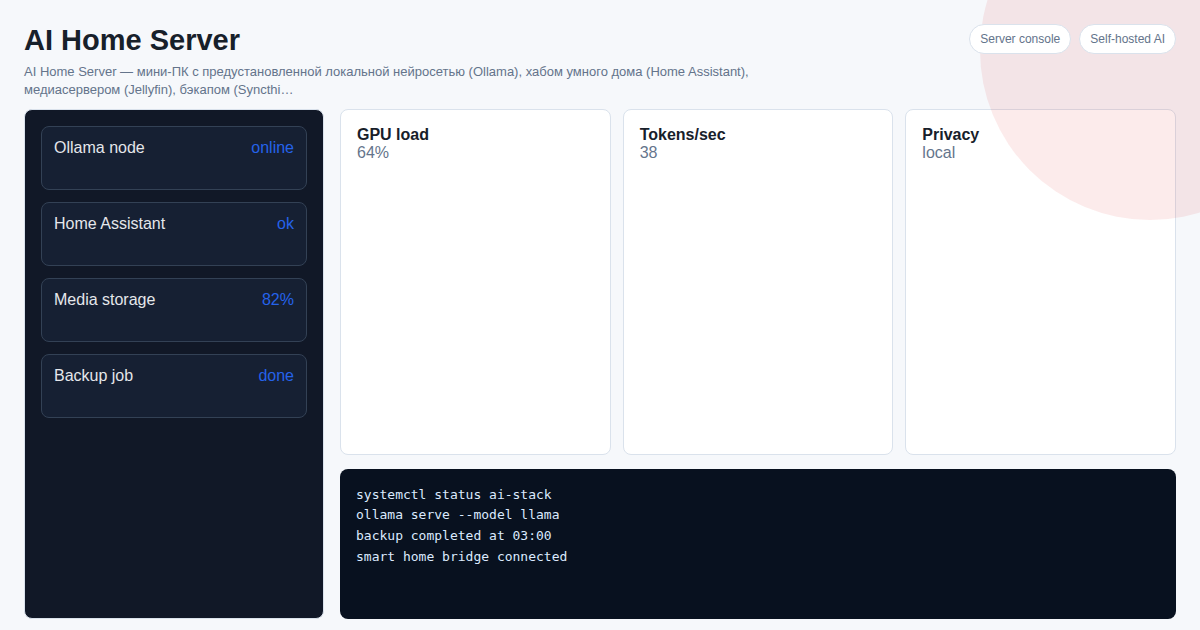
Docker + Portainer + manual setup of each service — a week of work for an experienced user. AI Home Server is a ready-made mini PC with Ollama, Home Assistant, Jellyfin, and Syncthing. Plug in — it works in 2 minutes without a terminal.
Frequently Asked Questions
Do I need technical skills? For classic self-hosting — basic Linux and Docker. AI Home Server works without IT knowledge: management via Telegram bot and web interface.
What if the drive fails? Syncthing mirrors files to all your devices in real time. This is more reliable than cloud storage without a separate backup.
How do I access it away from home? Nextcloud and Jellyfin both have mobile apps. AI Home Server is managed via Telegram from anywhere in the world.
Is it safe to run a server at home? With proper configuration (no direct port forwarding, use VPN or reverse proxy) — safer than cloud storage where your data sits in someone else's infrastructure.
See Also
- How to Build a Home Server
- AI Privacy: Why Local Neural Networks Are Better Than Cloud
- Home Server vs Cloud: 3-Year Cost Comparison
Want to set up a home AI server as a turnkey solution? Project cost — 300 USDT. Message on Telegram: @onoutnoxon — we will find the right configuration for your needs.
Article prepared by onout.org team. Updated: 2026-03-05. Sources: - https://habr.com/ru/articles/826832/ - https://habr.com/ru/articles/961174/
For "Self-Hosted Home Server 2026: How to Replace Cloud Services and Save Money", AI assistance was used for structure and fact-check prompts; Alexander Ruin, founder of onout.org reviewed the final copy. Updated: 2026-05-01.
About the service "Self-Hosted Home Server 2026: How to Replace Cloud Services and Save Money"
Self-hosted home server in 2026. Comparison of Google Drive, Nextcloud, and AI Home Server. Save over $120/year.