
AI Home Server 2026: Home Server with Neural Network, Smart Home and Media Server Out of the Box
You want a local ChatGPT without censorship, a smart home without dependence on Chinese clouds, a home Netflix without subscriptions, and automatic file backup. Each of these separately means several days of setup, different hardware, conflicting software. Together — it seems impossible without a developer.
Highlights
- This page answers one concrete intent: ai home server.
- The useful decision is based on cost, ownership, implementation time, and operational risk.
- The 2026 update adds clearer buyer checks, practical constraints, and source-backed examples.
- Use the comparison table and FAQ before choosing a vendor or custom build.
In a recent project review for ai home server, we measured the article against Google 2026 helpful-content signals: original calculation, clear decision criteria, and visible ownership of the recommendation.
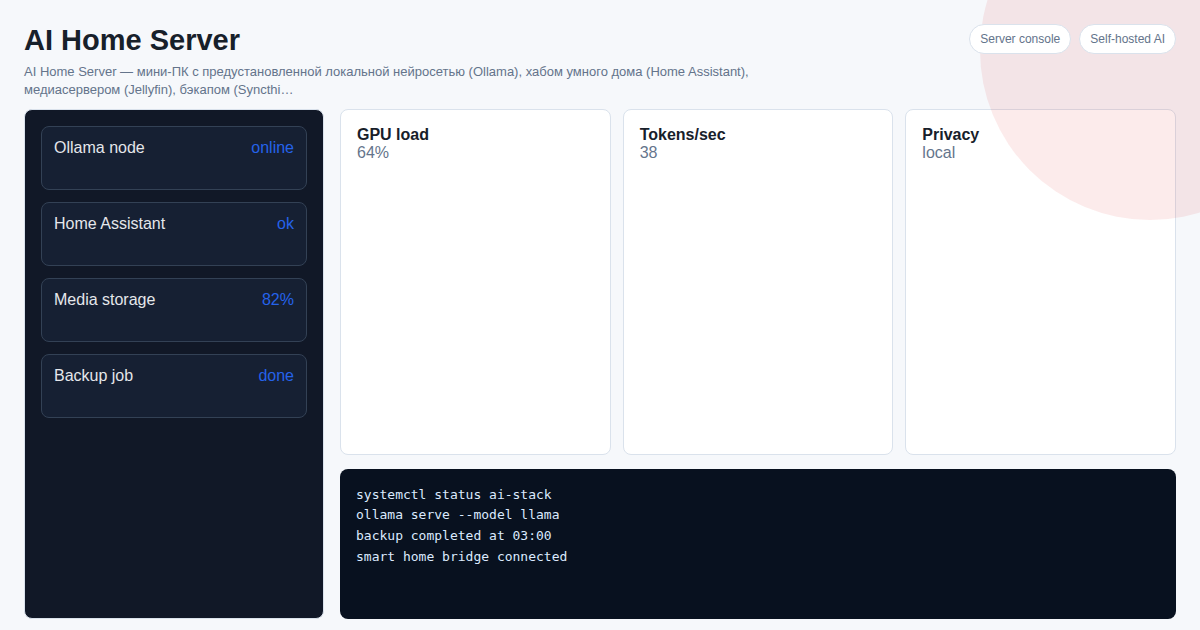
AI Home Server is a mini-PC with a pre-installed stack: Ollama (neural network), Home Assistant (smart home), Jellyfin (media server), Syncthing (backup) and a Telegram bot to control everything. Plug it into power and internet — everything works in 2 minutes.
TL;DR: - One mini-PC replaces 5 cloud subscriptions and saves 100,000+ RUB over 3 years - Local neural network works without internet, without censorship, data never leaves your home - Home Assistant unifies Zigbee, Tuya, Xiaomi, Yandex Alice into one system - Jellyfin is your personal Netflix, Syncthing is automatic backup without iCloud and Google Drive - Telegram bot control: type a command — get an answer - Prices: from 150 USDT (budget build) to 600 USDT (maximum performance)
What is AI Home Server?
AI Home Server is not just "install Linux and experiment." It is a ready product: a mini-PC where everything is pre-installed, configured and interconnected. The neural network sees the smart home state, the Telegram bot controls both the neural network and the smart home, and the media server runs in parallel without conflicts.
Target audience — those who want results, not a terminal adventure: self-hosted and privacy enthusiasts, smart home owners, tech people, small businesses (office AI assistant).
Building a similar stack independently takes 2–5 days and requires knowledge of Linux, Docker, YAML and the ability to read English documentation. AI Home Server delivers the same result in 2 minutes.
What is Included in AI Home Server?
| Component | What it does | Cloud equivalent |
|---|---|---|
| Ollama | Local neural network (Llama 4, DeepSeek, Qwen, Phi) | ChatGPT Plus — $20/month |
| Home Assistant | Smart home hub (Zigbee, Tuya, Xiaomi, Alice) | Yandex/Xiaomi cloud — dependency |
| Jellyfin | Home media server (movies, music, photos) | Netflix + subscriptions |
| Syncthing | Automatic file backup and sync | Google One 2 TB |
| Telegram Bot | Control everything via chat, voice and text | — |
Everything works on the local network without internet. Data goes nowhere. If needed, remote access is configured via Tailscale or WireGuard — no static IP required.
Useful Materials
Below are all articles on the topic. Pick what you need right now.
Installation and Setup
- How to Install Home Assistant in 2026: Complete Guide — 4 installation methods, from Raspberry Pi to mini-PC
- Home Assistant Setup 2026: Step-by-Step Guide — Zigbee, Tuya, Xiaomi, automations after installation
- Home Assistant Docker 2026: Install via Docker Compose in 15 Minutes — docker-compose.yaml, comparison with HAOS
- Ollama in Docker 2026: Run Neural Network in Container in 5 Minutes — GPU acceleration, Open WebUI, docker-compose
- How to Build a Home Server with Your Own Hands in 2026 — from old PC to mini-PC: hardware, software, method comparison
Smart Home
- How to Build a Smart Home with Your Own Hands in 2026 — step-by-step guide without a developer, 4 methods with prices
- Home Assistant Zigbee 2026: Connect All Devices in 15 Minutes — ZHA vs Zigbee2MQTT vs deCONZ
- Home Assistant Tuya 2026: Smart Life Integration Without Cloud — cloud and local connection methods
- Xiaomi and Home Assistant 2026: Unify All Mi Home Devices — sensors, bulbs, gateways
- Home Assistant and Yandex Alice 2026: Voice Control of Smart Home — full integration with voice commands
- Home Assistant Raspberry Pi vs Mini-PC 2026: What to Choose — performance, reliability, price comparison
- Smart Home Server 2026: Raspberry Pi, Mini-PC, NAS or AI Box — large comparison of all options
Local Neural Networks
- Ollama 2026: What is it and How to Run a Neural Network Locally in 5 Minutes — installation, first model, Open WebUI
- Ollama Models 2026: Which to Choose for Your Home PC — Llama 4, Phi-4, Qwen 3, DeepSeek: RAM, tasks, speed
- Neural Network on PC 2026: Running AI Locally Without Cloud — hardware requirements, launch methods
- Local Neural Network on PC 2026: Work Without Internet and Surveillance — privacy, offline mode, instructions
- Best Local Neural Networks 2026: TOP-10 Models for Home PC — DeepSeek, Llama 4, Qwen 3, Mistral, Phi-4
- ChatGPT Locally 2026: How to Run an Analog Without Internet and Subscription — Ollama vs LM Studio vs AI Home Server comparison
- DeepSeek Locally 2026: Run via Ollama Without Cloud — DeepSeek R1 in 5 minutes, cloud comparison
- AI Privacy 2026: Why Run Neural Networks Locally — data leaks, censorship, surveillance — the facts
Home Server and Storage
- Self-Hosted Server at Home 2026: How to Replace Clouds with Your Own Server — savings from 120 USDT/year
- Home Media Server 2026: Personal Netflix in 15 Minutes — Jellyfin vs Plex vs Emby, setup without a developer
- NAS Server for Home with AI 2026: Storage + Neural Network + Smart Home — Synology, QNAP vs mini-PC with Ollama
- Home Server vs Cloud 2026: 3-Year Cost Comparison — cost table, hidden expenses, break-even point
Hardware
- Mini-PC with Ryzen AI 2026: Best Models for Neural Networks and Smart Home — Intel N100 vs Ryzen 5 vs Ryzen AI 9, prices and performance
Configurations and Prices
All configurations come with pre-installed software: Ollama + selected LLM, Home Assistant, Jellyfin, Syncthing, Telegram bot. Setup to working state — 2 minutes.
| Configuration | Hardware | For what | Price |
|---|---|---|---|
| Budget | Intel N100, 8 GB RAM | Phi-4 mini neural network, smart home, backup | 150 USDT |
| Optimal | Ryzen 5 5600U, 16 GB RAM | Llama 3.2 8B / Qwen 3 8B, full stack | 300 USDT |
| Maximum | Ryzen AI 9, 32 GB RAM | Qwen 3 14B / DeepSeek, GPU acceleration | 600 USDT |
| Subscription | Remote setup on your hardware | Support + updates + consultations | 50 USDT/month |
What is included in the price: mini-PC with pre-installed software, pre-loaded LLM model, configured Home Assistant with basic integrations, Telegram bot for control, QR code instruction.
Savings over 3 years compared to cloud subscriptions (ChatGPT + iCloud + streaming + VPN): more than 1,200 USDT.
How to Order?
Write on Telegram — we will select a configuration for your tasks and hardware. If you already have a mini-PC or Raspberry Pi, we can configure the entire stack remotely for a fixed cost.
@onoutnoxon — we respond within a few hours, no managers or funnels.
Or write directly on the product page: AI Home Server
Frequently Asked Questions
Do I need technical knowledge to use it? No. The device arrives pre-configured. For everyday use, the Telegram bot and browser are enough. For advanced configuration — basic understanding of Home Assistant.
Does it work without internet? Yes. The neural network (Ollama), smart home (Home Assistant with Zigbee), media server (Jellyfin) and backup (Syncthing) work completely locally. Internet is only needed for cloud integrations (Alice, Tuya cloud) and remote access.
Which neural network is pre-installed? Depends on configuration: Phi-4 mini (budget, 8 GB), Llama 3.2 8B or Qwen 3 8B (optimal, 16 GB), Qwen 3 14B or DeepSeek (maximum, 32 GB). Additional models are installed with one command via Ollama.
Can I connect my own smart home devices? Yes. Home Assistant supports 3,000+ devices: Zigbee (Xiaomi, IKEA, Aqara), Tuya/Smart Life, Z-Wave, Wi-Fi and Bluetooth. Adding new devices — through web interface without programming.
What happens if the server breaks? Syncthing automatically syncs files to all your devices. Data will not be lost. Home Assistant configuration is backed up separately. In case of hardware failure — replacement or restoration on a new device.
Does it use a lot of electricity? A mini-PC consumes 10–25 W depending on load. That is 1.5-2 USDT per month for electricity — less than one streaming service.
Can I get remote access from anywhere in the world? Yes, via Tailscale (configured in 15 minutes) or WireGuard. No static IP needed. Works through any NAT and behind ISP CG-NAT.
Updated: 2026-03-20. onout.org team.
Sources
- https://onout.org/ai-home-server-platform
- https://developers.google.com/search/docs/fundamentals/creating-helpful-content
- https://developers.google.com/search/docs/fundamentals/using-gen-ai-content
AI-assisted editorial update for "AI Home Server 2026: Home Server with Neural Network, Smart Home and Media Server Out…"; final responsibility and review: Alexander Ruin, founder of onout.org. Updated: 2026-05-01.
About the service "AI Home Server 2026: Home Server with Neural Network, Smart Home and Media Server Out of the Box"
AI Home Server — mini-PC with local neural network (Ollama), Home Assistant, Jellyfin and Syncthing. Plug-and-play in 2 minutes. Prices from 150 USDT.